
Free Workout Planner with a Recovery Check
Build your training week, see the time, calories and recovery for every session, then export it to Excel, Google Sheets, PDF or your calendar.
Monday
Back Squat
Quads
Bench Press
Mid chest
Barbell Row
Lats
Dumbbell Lateral Raise
Side delts
Cable Crunch
Abs
34 min, about 215 kcal, 15 sets
Every muscle it trains starts above 80%.
Your week at a glance
3 sessions, 104 min, about 660 kcal
Every muscle is back above 80% before it is trained again.
| Muscle | Prime mover sets | Secondary sets | Lowest readiness at a start | Status |
|---|---|---|---|---|
| Lats | 9 | 0 | 96% | Back above 80% every time |
| Abs | 6 | 0 | 100% | Back above 80% every time |
| Side delts | 6 | 3 | 99% | Back above 80% every time |
| Mid chest | 6 | 0 | 99% | Back above 80% every time |
| Quads | 6 | 0 | 97% | Back above 80% every time |
| Front delts | 3 | 0 | 100% | Back above 80% every time |
| Biceps | 3 | 0 | 100% | Back above 80% every time |
| Hamstrings | 3 | 0 | 96% | Back above 80% every time |
| Triceps | 3 | 0 | 100% | Back above 80% every time |
| Glutes | 0 | 9 | 99% | Back above 80% every time |
| Lower chest | 0 | 6 | 99% | Back above 80% every time |
| Upper chest | 0 | 6 | 99% | Back above 80% every time |
| Upper and mid back | 0 | 6 | 99% | Back above 80% every time |
Export your plan
Every export includes the calorie estimates, the recovery notes and links to the app.
Example: our three day full body template for an 80 kg intermediate lifter comes to about 35 minutes and 215 to 230 kcal a session, with every muscle back above 80 percent before it is trained again.
The same plan, inside the app
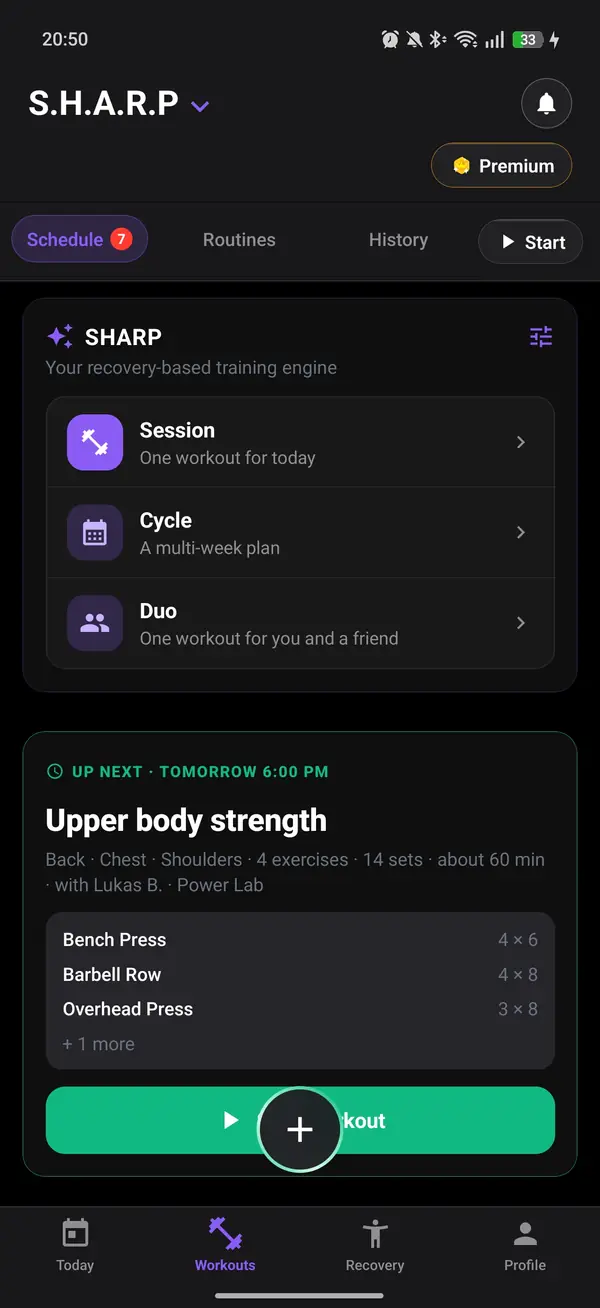
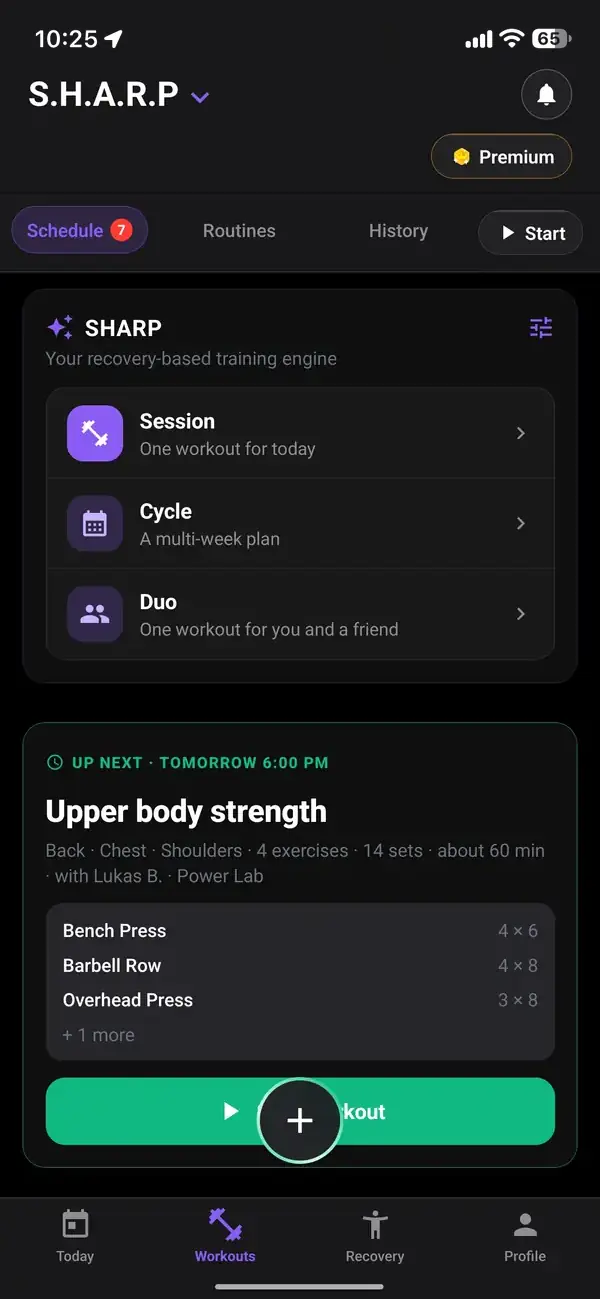
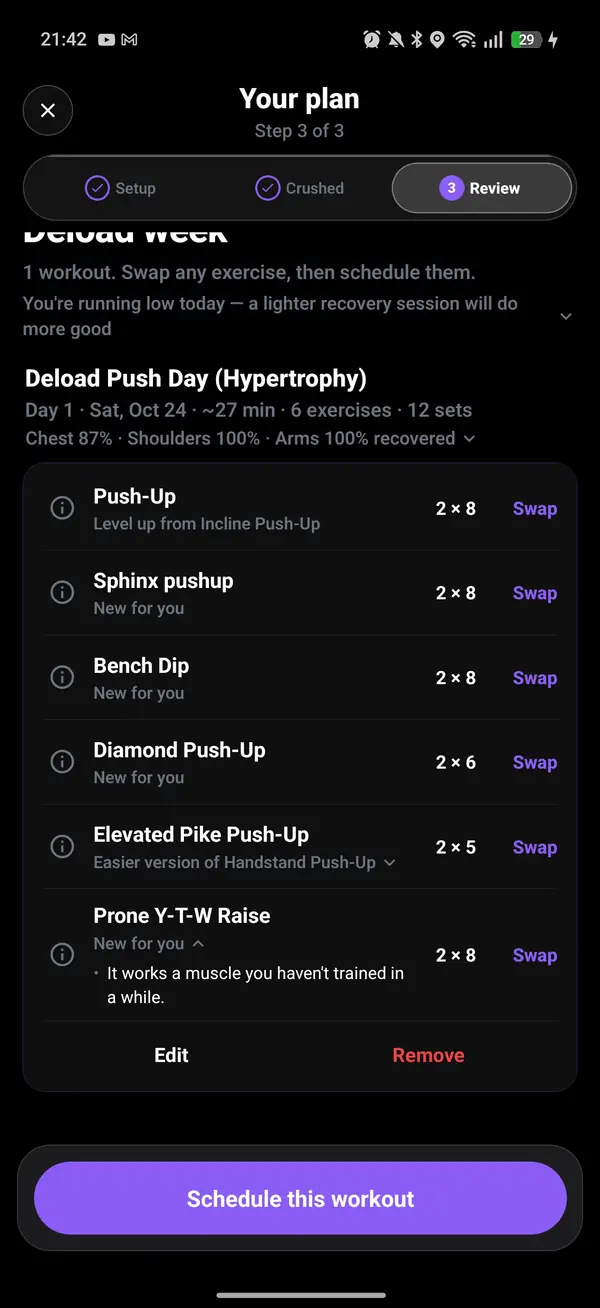
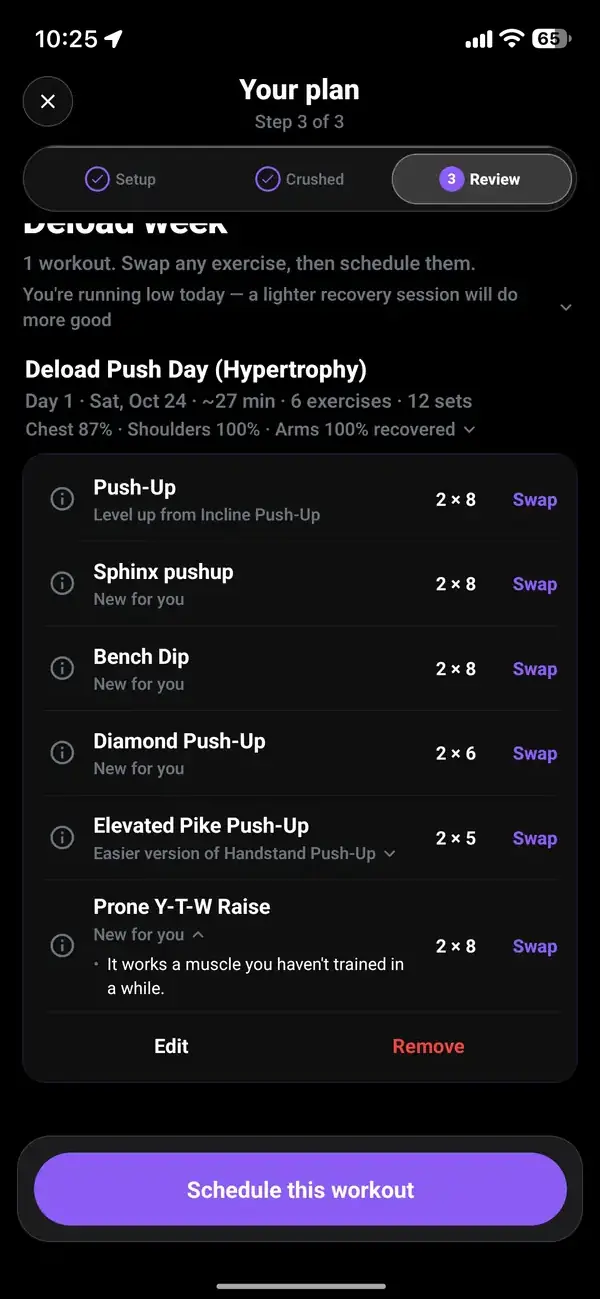
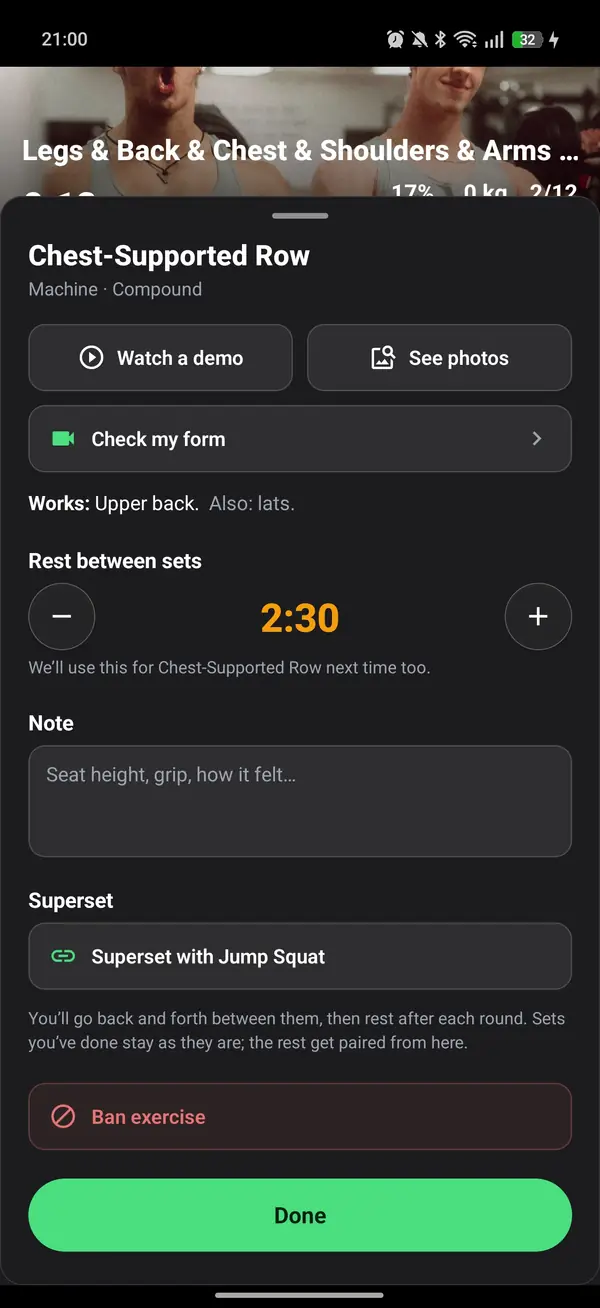
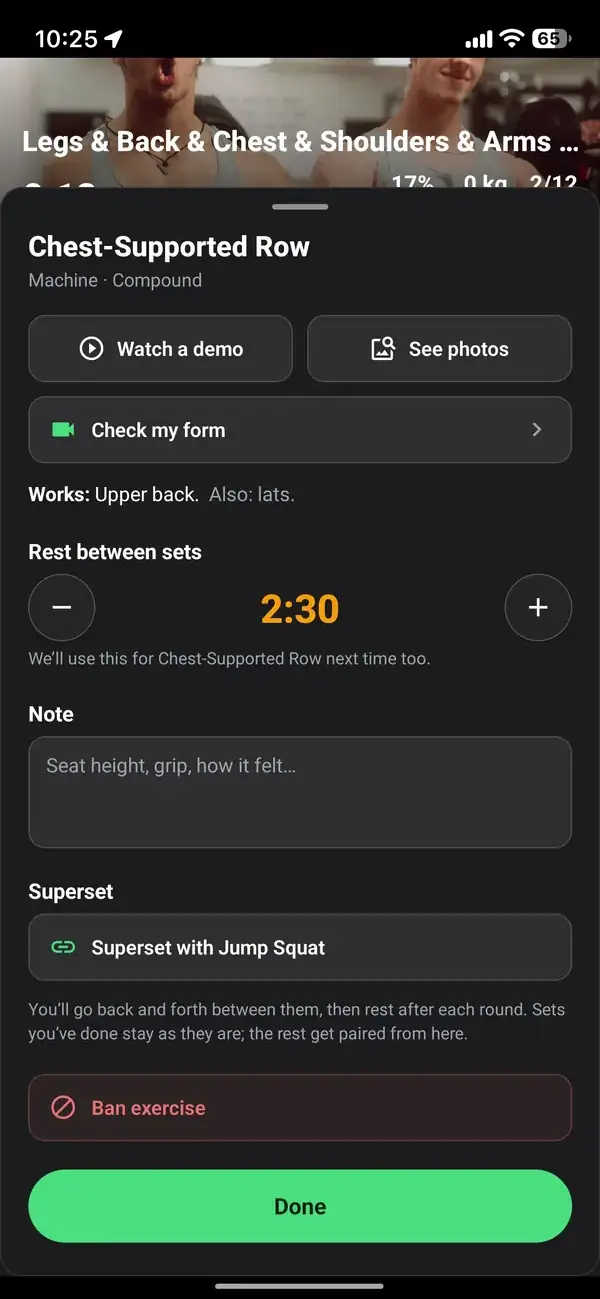
In Workout With Me, S.H.A.R.P does the planning: it builds the session from your recovery, lets you swap anything before you schedule it, and moves the plan on when you log.
How the planner works it out
Pick a split and a style and we fill in a starting week from the exercise library the Workout With Me app uses. Then change anything: swap exercises, add or remove sets, set the reps and the effort you plan to train at, and move sessions to other days.
Recovery is checked the way the app tracks it. Every hard set adds fatigue to the muscles it trains, weighted by effort and by how directly the exercise loads each muscle, and that fatigue fades on each muscle's own half-life. We run your week as if you had been repeating it, then flag any session that trains a muscle before it is back to 80 percent.
Calories are an estimate: the session's length, from your sets and the rest they need, times your body weight, times a MET value from the Compendium of Physical Activities. We use 3.5 for moderate lifting and 6 for vigorous lifting, 3.8 and 8 for calisthenics, and move between them with your planned RPE. Real energy use varies with the person, the pace and the load, so treat it as a ballpark, not a measurement.
kcal ≈ MET × body weight in kg × session hours, with MET between 3.5 and 6 for lifting and between 3.8 and 8 for calisthenics
New to the gym? Start here
Start from Full body, 3 days and set your training experience to Beginner. Three full-body sessions a week, with a rest day between each, train every major muscle often enough to learn the lifts without leaving you sore for days. Keep the exercises you know, swap anything that feels awkward, and leave a couple of reps in the tank on every set.
The planner flags any muscle you'd train again before it has recovered, so a new routine doesn't quietly stack legs on legs. When you want company, Workout With Me shows sessions at gyms near you, and joining one is free.
How to build a training week
Start from how many days you can actually train, then pick the split that fits: full body for two or three days, upper and lower for four, push pull legs for five or six, one muscle a day if you like long sessions on each. The templates above follow that spacing.
Then fill each session with one or two compound lifts first and the accessories after, and keep most sets between RPE 7 and 9. Going to failure on everything costs recovery you will want back later in the week.
Why the planner flags some sessions
A muscle trained again before it has recovered starts the session already short, and the fatigue from both sessions adds up. The planner shows how ready every muscle a session trains is when it starts, and flags the ones under 80 percent.
A flag is not a ban. Fix it by moving the session a day later, swapping in an exercise that spares the tired muscle, or cutting a set or two. Small muscles like the forearms and abs clear fast enough to train most days, while the quads, hamstrings and lower back usually want a couple of days.
How many calories a lifting session burns
Less than most people expect, because most of a lifting session is rest between sets. By the Compendium values, an hour of moderate lifting comes to about 280 kcal for an 80 kg lifter and a vigorous hour to about 480. Fast circuits and hard calisthenics push it up, and long rests between heavy sets pull it down.
The estimate is there to help you plan, not to count to the calorie. If you are eating for a goal, setting your intake from your body weight trend over a few weeks works better than any per-session number.
Exporting to Excel, Google Sheets, PDF or a calendar
Excel downloads a workbook with your plan, a session summary with time and calories, a recovery sheet with a note for every flagged session, and links to the app. CSV is the same content in a plain file any spreadsheet opens.
For Google Sheets, copy the plan with one tap and paste it into an empty sheet, or download the CSV and import it from File, Import, Upload. PDF opens a print view of the plan, where you choose Save as PDF. The calendar file adds each session to your calendar every week for eight weeks, with the exercises and notes in the description.
When a spreadsheet stops being enough
A plan on paper does not know what you actually lifted. Miss a session, add a set or go harder than planned, and the recovery picture in the spreadsheet is already out of date.
In Workout With Me you log each set as you train, the recovery body map updates from what you logged, and S.H.A.R.P, our research-based training engine, can build your next sessions around what has recovered. Logging and the body map are free, and S.H.A.R.P is free to try.
Not just a workout tracker. A training community.
Workout With Me is your all-in-one training app: find people to train with, and let S.H.A.R.P plan every session around your recovery.
- Tracking workouts
- Logging sets, reps and weight
- An exercise library
- Volume and history graphs
- Rest timers
- PR badges
- Calorie estimates
- Lifters and calisthenics athletes near you
- Join or host a workout in a tap
- Recovery-based training across 19 muscles
- A premium, research-based engine that plans your next session
- Premium programs with progressive overload and deloads built in
Start Training Together Now!
Download Workout With Me and find your gym partner today.


How to test a training week before you commit to it
A free workout planner lets you lay out a training week, session by session, without paying for software or signing up. This one runs in your browser and checks the week for muscles you'd be training again before they've recovered.
Suppose you've found a four-day upper and lower program online, your second upper day falls on Thursday, and you want to add an arms day on Friday. On paper it looks harmless. Put it into the planner and you'll see that Thursday's rows and pull-ups have already worked your biceps, so Friday's curls may start with them short of 80%. That's the kind of clash that hides in a list of exercises and takes seconds to fix once it's on screen: move arms to Saturday, or trim a pulling set on Thursday.
The planner is most useful before a program starts. It's a quick way to check a coach's plan against the days you can train, to try a split you've never run, or to see whether a sixth session fits without crowding the others. It takes every planned set as done exactly as written, at the effort you entered, so it's only as accurate as the week you give it. It also doesn't keep your plan between visits, so export it before you close the tab.
Ten to twenty hard sets per muscle per week covers most trained lifters, and a workout planner can only spread that volume across the week if it knows which muscles are ready to train again.
The Workout With Me app holds to the same 80% line. Its research-based engine, S.H.A.R.P, won't put a muscle back on the schedule below it, and it plans a whole block of training cycles rather than one week, which you can try before WWM Pro from $7.99 a month. Downloading the app costs nothing on iPhone or Android, and neither do logging, the recovery body map, and hosting or joining workouts with people near you.
Frequently Asked Questions
Can I export my workout plan to Excel?
Yes. The Excel button downloads an .xlsx workbook with four sheets: the plan, a session summary with estimated time and calories, the recovery check with a note for any flagged session, and links to the Workout With Me app. It opens in Excel, Numbers, LibreOffice and Google Sheets.
How do I get the plan into Google Sheets?
Tap Google Sheets to copy the whole plan, then paste it into cell A1 of an empty sheet and it fills the cells. If you would rather import a file, download the CSV, then in Google Sheets choose File, Import, Upload and select it.
How accurate are the calorie estimates?
They are ballpark figures. We multiply each session's estimated length by your body weight and a MET value from the Compendium of Physical Activities, chosen by exercise type and your planned effort. Your real burn depends on your pace, rest, load and body, and can differ noticeably.
What does the recovery check look at?
For each session, how ready every muscle it trains is when the session starts, based on the sets and effort earlier in the week and on how quickly that muscle recovers at your experience level. A muscle trained as a prime mover or a secondary mover below 80 percent is flagged.
Can I add the plan to my calendar?
Yes. The Calendar button downloads an .ics file that adds each training day as a weekly event at the time you choose, starting next Monday, for eight weeks. Each event lists the exercises, the time and calorie estimate, and the recovery note for that session.
Do I need an account to use the free planner?
No. It runs in your browser with nothing to sign up for. The page doesn't save your week once you leave, so export it to a spreadsheet, a PDF or your calendar before you close it.
Is the free workout planner completely free?
Yes. Building a week, the recovery check, the time and calorie estimates and every export cost nothing. The only paid product is WWM Pro inside the app, from $7.99 a month.
Can I plan calisthenics workouts with it?
Yes. Switch the style to calisthenics and the templates use bodyweight exercises from the same library the app uses. The recovery check works the same way for them.
Can I move the plan into the Workout With Me app?
Not directly. The closest route is the app's photo import: print the plan, photograph it, and the app turns the written program into structured exercises with sets and reps.
How is this different from S.H.A.R.P in the app?
This page checks a week you write, while S.H.A.R.P writes the plan for you. The engine plans from the sets you log, works in training cycles that finish when all six muscle categories have been trained, and keeps going when a week doesn't go to plan.